
Selfira
Work zone limitedPersonalization
4.7115.00 Reviews
- Version
- 2.2.0
- Installs
- 50.00K
- Age Rating
- Everyone
Screenshots
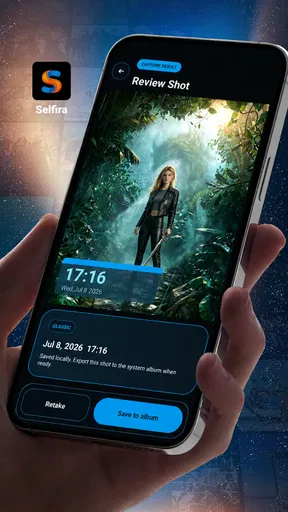
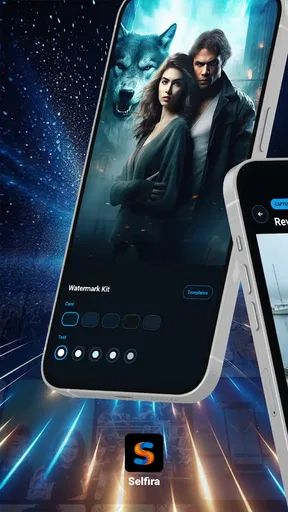
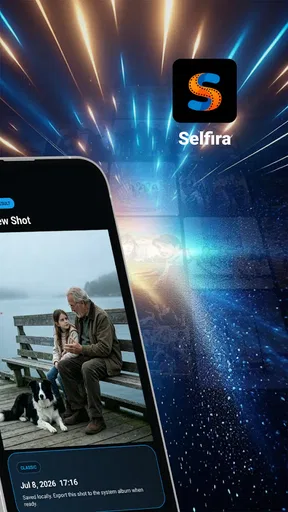
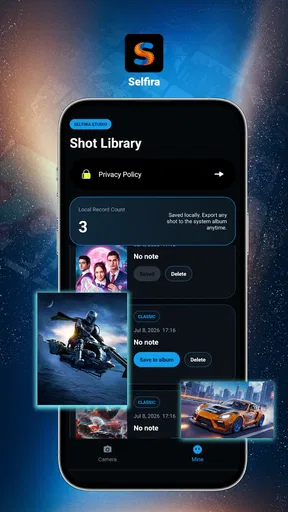
Our Review of Selfira
 Analysis by Appyee
I spend a lot of time taking photos that are less about memories and more about keeping a useful record: a delivery left at the door, a meter reading, a damaged item, a parking spot, or the condition of something before I hand it over. Selfira is built for that practical side of photography. It is a free personalization app from Work zone limited that turns the camera into a tool for making local photo records with timestamps.
That focus makes it different from a normal camera app. The point is not to produce the most attractive image or offer a huge editing toolkit. The point is to create a photo whose timing is visible and easier to understand later. In my experience, that is a small change with real value when a picture needs context rather than polish.
How Selfira fits into everyday photo records
The app’s store summary describes a timestamped watermark camera for local photo records, and that is the clearest way to understand its role. Instead of taking an ordinary image and trying to remember when it was captured, I can use a camera designed around the record itself. The visible timestamp becomes part of the image, giving the photo immediate context when it is viewed outside the app.
This is especially useful when images are shared through messaging apps, placed in a work folder, or revisited weeks later. A regular camera roll often mixes screenshots, downloaded images, edited photos, and camera shots. Selfira is more purposeful: I would open it when the timing of the picture matters and I want the result to remain understandable after it leaves my phone.
The app belongs in the personalization category, although its practical use reaches beyond changing the appearance of a device. Its value comes from shaping the way a camera record looks and communicates information. The store short description is simply “Selfira,” so the useful detail is found in the app’s stated camera purpose rather than in a long list of promised extras.
It is available at no cost, which changes the decision considerably. I do not have to weigh a subscription against occasional use, and someone who only needs timestamped records now and then can try it without committing money. That does not automatically make it the best camera for every situation, but it makes experimentation easy and keeps the basic value question straightforward: if the timestamped record helps you, free access is a strong starting point.
What the timestamp changes in practice
A timestamp is most useful when the image may be separated from its original context. Imagine receiving a parcel with visible damage. I could photograph the box as soon as I notice the problem, then send the image to the seller or keep it with my delivery notes. The date and time shown on the image make the sequence easier to follow than a bare photograph buried among unrelated pictures.
The same workflow can help with home maintenance. Before a repair begins, I might photograph a wall, appliance, or leak, then take another image after the work. The pictures do not replace invoices or written notes, but they provide a visual record that is quicker to understand. Selfira is valuable here because it encourages me to capture the moment as part of the record rather than relying on memory later.
There is also a useful distinction between a timestamped image and the hidden information attached to a file. A file may contain technical details that are not obvious when the image is forwarded or printed. A visible watermark travels with the picture itself, so the timing remains apparent when someone opens the image in a different place. That visibility is the app’s main practical strength.
At the same time, I would not treat a visible timestamp as absolute proof of every circumstance surrounding a photo. It helps establish context, but it does not explain who took the image, what happened before the shutter was pressed, or whether the scene changed afterward. For ordinary records, that is a sensible level of information. For formal disputes or professional documentation, I would still keep supporting notes and original files.
Useful workflows beyond the obvious snapshot
One less obvious use is creating a simple before-and-after trail without building a complicated project. For example, I could photograph a rented room when moving in, making sure the images cover floors, walls, fixtures, and existing marks. Later, the timestamped pictures give me an organized starting point when reviewing the property’s condition. The key is consistency: I would take the photos in a deliberate route and keep them together in a dedicated album or folder afterward.
Another practical workflow is stock checking. A small shop, workshop, or home business can use timestamped images when receiving supplies or packing an order. A picture of the package contents at the relevant moment can be easier to match with a delivery note than an ordinary image with a generic filename. Selfira does not turn this into inventory software, but its focused camera approach can reduce the friction of making visual records.
I also see value for recurring tasks. If I need to photograph a utility display, a construction stage, or a plant’s condition every few days, the timestamp reduces the chance of mixing up the sequence. I would keep the camera angle and distance as similar as possible, then compare the images later. The app supplies the time context; the quality of the comparison still depends on how carefully I take each picture.
A further tip is to think about readability before taking the shot. A timestamp is only helpful if it does not cover the object that matters. I would position the subject with some clear space around it and check the preview before capturing. This is a trade-off that store summaries rarely mention: the watermark adds information, but it also occupies part of the image and may compete with small details.
Where it is stronger than a normal camera
The usual phone camera is better when I want flexibility, image quality controls, portrait effects, fast switching between lenses, or a polished photo for social media. It is familiar and usually integrated deeply into the phone. If my goal is a beautiful travel picture, Selfira would not be my first choice simply because a timestamped record is not the same thing as a creative camera.
Selfira makes more sense when the record is the subject. A normal camera can capture the same physical scene, but I may need to remember the capture time, inspect file details, rename the image, or explain the timing when sharing it. A visible timestamp removes some of that follow-up work. It is a convenience feature, but in repeated documentation it can become the reason to use a separate camera app.
Compared with editing a regular photo afterward, capturing the timestamp at the moment of photography is also less dependent on memory. Editing later introduces another step and creates the risk of applying the wrong date or forgetting to add it altogether. The dedicated approach is more direct. The downside is that I have less freedom if I later decide I wanted a clean, unmarked image.
That is why I would treat Selfira as a companion rather than a universal replacement. I can use the phone’s standard camera for personal images and open Selfira for records where timing needs to be visible. This two-camera habit is more practical than forcing one app to handle both artistic photography and documentation.
Limitations worth considering before relying on it
The watermark is both the reason to install the app and its main visual compromise. Some images look less tidy with text overlaid, especially when the subject fills the entire frame. If I am documenting a small crack, label, serial marking, or fine print, I need to compose carefully so the timestamp does not hide useful information. In those cases, I might take a clean supporting image with the regular camera as well.
There is also a risk of false confidence. A timestamp makes a record easier to read, but it does not turn a casual snapshot into a complete report. For a complaint, insurance matter, or handover, I would add written descriptions and preserve the surrounding communication. Selfira can strengthen a basic visual record; it should not be treated as a substitute for every other piece of evidence.
Another consideration is workflow separation. Photos made for documentation can clutter the same gallery as family pictures and travel shots. I would plan to sort them after each session, using a clear folder name or album. The app’s focused purpose helps at capture time, but organization afterward remains my responsibility.
People who need advanced camera controls may also find the concept too narrow. If I want extensive manual exposure settings, specialized lenses, or a broad editing process, a full-featured camera application may offer better value even if it requires more setup. Selfira’s appeal is not depth in every photographic direction; it is the speed and clarity of timestamped local records.
Compatibility, trust, and the free-access question
The current version is 2.2.0, and the app supports devices running Android 8.0 or later. That makes it accessible to many older Android phones, which is useful for anyone who wants to dedicate an existing device to inspections, deliveries, or household records instead of buying new hardware.
Its content rating is Everyone, so the concept is suitable for a broad audience. I would still use ordinary care with sensitive photos. A timestamped image can reveal when I was at a location or when an item was present, so I would think about who receives the image and whether the visible timing is necessary before sharing it publicly.
The developer is Work zone limited, and the app has built a positive level of user interest, with an average rating of 4.7 from around 2.2 thousand ratings and more than 50 thousand installs. Those figures suggest that the focused idea resonates with a meaningful group of Android users, but they do not change the need to test the camera on my own device and in my own workflow.
Because access is free, the app is easy to evaluate without a purchase decision. I would install it, take several test images indoors and outdoors, inspect how the timestamp sits over different backgrounds, and then share a sample with a second device to confirm that the record remains readable. This is a better test than judging it only from the concept. The real question is whether the watermark helps my particular documentation habits more than it distracts from the image.
Who will get the most value from it
I think Selfira is a good fit for renters, homeowners, delivery recipients, small sellers, technicians, students recording project progress, and anyone who periodically needs to show when a visual condition existed. It is also useful for people who do not want to remember to add dates manually after taking photos.
Its strongest users are likely to be occasional documentarians rather than photography enthusiasts. If I only need a record once a week, a free, purpose-built camera is easier to justify than a larger production system. The visible timestamp gives the image an immediate label without requiring me to learn a complex interface or maintain a separate documentation routine.
I would skip it if my priority is clean composition, creative effects, or maximum control over the final image. I would also look elsewhere if I need a shared inspection platform, automatic report generation, cloud collaboration, or formal chain-of-custody handling. Selfira’s value is concentrated: it helps capture local photos with visible time context, not manage an entire professional evidence process.
For the best results, I would use a repeatable routine. First, decide what the photo needs to prove or remember. Next, leave enough empty space for the watermark, take a wide establishing shot, and then capture closer details if necessary. Finally, sort the images immediately and add a short note outside the app about the location or situation. This approach makes the timestamp useful without asking it to carry the whole story.
My recommendation after using the concept in real situations
Selfira is worth trying when a visible time record matters more than a spotless image. Its free access removes the main financial barrier, its Android compatibility includes older devices, and its focused design addresses a real problem that ordinary camera apps often leave to memory and manual organization.
I would recommend it to a friend who regularly photographs deliveries, property condition, repairs, readings, or progress updates. I would explain that the app works best as a dedicated documentation camera, not as a replacement for a standard camera or a complete professional record system. The timestamp is genuinely helpful, but it must be composed carefully and supported with sensible file organization.
My final verdict is a qualified yes. Install it if you have a recurring need for local, timestamped photos and want to avoid editing dates onto images later. Skip it if every picture needs to look clean and presentation-ready, or if you expect advanced photographic controls and collaboration tools. For the right use case, the simplicity is the point: open the app, capture the condition while it exists, and leave the image with enough context to make sense later.
Verdict
Strengths of Selfira
- Simple interface makes core features easy to find.
- Useful reminders can help users maintain a consistent routine.
- Personalized options make the experience feel more relevant.
- Lightweight design should work well on many modern devices.
- Progress tracking can encourage users to stay engaged.
Limitations of Selfira
- Some features may require a subscription or in-app purchase.
- Results can vary depending on how consistently you use it.
- Privacy details should be reviewed before entering personal information.
- The free version may include ads or feature limitations.
- New users may need time to understand all available tools.
Similar Picks in This Category
View All
Microsoft SwiftKey AI Keyboard
SwiftKey4.3

Wallpapers
Google LLC4.1

Zedge™ Wallpapers & Ringtones
Zedge4.7

Yandex Browser with Alice AI
Direct Cursus Computer Systems Trading LLC4.3

Ringtone Maker:create ringtone
Big Bang Inc.4.7

Fonts Keyboard
Fonts Keyboard3.9
Frequently Asked Questions
What is Selfira and what can I use it for?
Selfira is a self-improvement and personal development app designed to help users reflect on their habits, goals, emotions, and daily progress. Depending on the features available in your version, it may provide guided exercises, journaling tools, motivational content, reminders, or structured activities. It is best viewed as a practical companion for building healthier routines, not as a replacement for professional medical or psychological care.
Is Selfira free to download and use?
Selfira may be available to download at no initial cost, but some features, content, or advanced tools can require in-app purchases or a subscription. Before confirming payment, check the app’s store listing and subscription screen carefully for pricing, billing frequency, trial conditions, and cancellation rules. Users should also verify whether deleting the app automatically cancels a subscription, since this is usually not the case.
Does Selfira protect my personal information and journal entries?
Because Selfira may involve personal reflections, goals, mood information, or other sensitive details, privacy is an important consideration before using it. Review the app’s privacy policy and the permissions requested during setup. Avoid entering highly confidential information unless you understand how data is stored, synchronized, shared, and deleted. If the app offers an account, use a strong password and enable available security options.
Can Selfira replace a therapist, doctor, or mental-health professional?
No. Selfira can be useful for self-reflection, organization, motivation, and developing everyday habits, but it should not be treated as a diagnostic or treatment service. The app cannot reliably assess serious mental-health conditions or provide emergency support. If you are experiencing severe distress, thoughts of self-harm, or a medical emergency, contact a qualified professional or local emergency service instead of relying only on the application.
What devices and permissions are required to use Selfira?
Selfira’s compatibility depends on the version released for Android or iOS and the operating-system requirements shown in the relevant app store. During installation, it may request permissions for notifications, storage, account access, or other functions connected with its tools. You can review and change many permissions later in your device settings. Allow only the access needed for features you actually plan to use.
